Screenplay Skeletons
Pre-built structural frameworks for feature films, TV dramas, procedurals, limited series, and more — each displayed as a labelled diagram and an editable outline you can send straight to the Beat Sheet, Treatment, or Writers Room.
Overview
What Skeletons are and why they exist.
Every professional screenplay rests on a structural framework — a pattern of acts, turning points, and escalating stakes that an audience processes without consciously noticing. Thenema Writer's Skeleton presets make those frameworks visible and actionable at the start of your project, before you have written a single scene.
A Skeleton is not a story. It is a scaffolding of act markers, stage labels, and writing prompts. Thenema Writer enriches each preset by attaching page-range guidance, percentage markers, and bullet-point writing cues to every structural section, giving you a populated outline that you can adapt and send forward to the rest of your workflow.
Multiple Formats
Feature film three-act, TV drama five-act, procedural, limited series, character arc, and more.
Structure Diagrams
Each preset displays a visual diagram showing how the acts relate to each other in time.
Editable Outline
The enriched outline is fully editable. Adapt it to your story before sending it forward.
Three Export Targets
Send to Beat Sheet, Writers Room, or Treatment with one click each.
The Preset Library
Choosing the right structure for your project.
The preset dropdown at the top of the panel lists every available skeleton. Changing the selection immediately loads the corresponding diagram and outline. The presets cover the following format families:
Feature Film
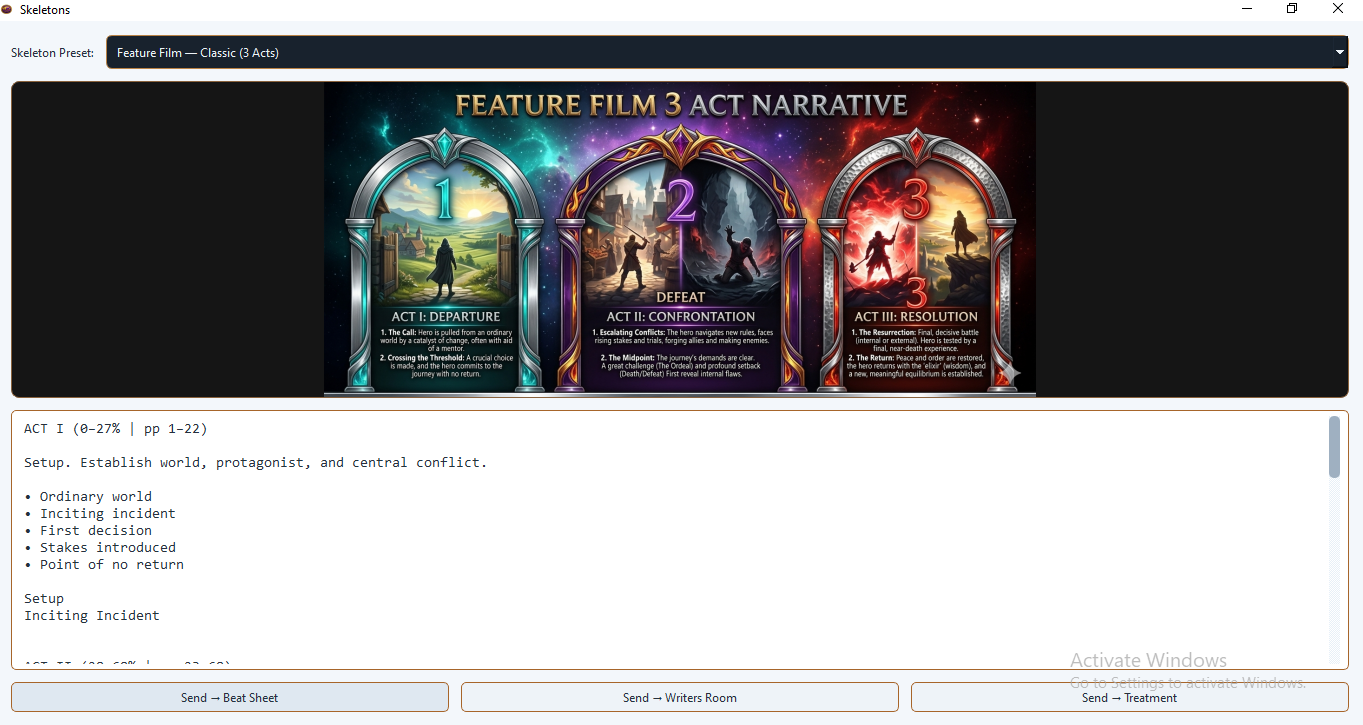
The classic three-act structure with percentage and page-range markers: Act I (0–27%, pp 1–22), Act II (28–68%, pp 23–68), Act III (69–100%, pp 69–110). Each act section includes five structural bullet points covering Ordinary World, Inciting Incident, Rising Conflict, Midpoint Reversal, and Resolution.
TV Drama Extended
Expands the three-act structure into five acts — Acts I through III plus Acts IV and V — matching the commercial break rhythm of broadcast drama. Acts IV and V cover the escalation toward climax and the final resolution respectively.
Six-Act Structure
An extended film or prestige-TV format with a sixth act dedicated to ultimate resolution and thematic closure.
Procedural (Stages)
A five-stage structure used in crime, medical, and investigative dramas. Acts are renamed Stages 1–5 covering Setup, Investigation, Complication, Breakthrough, and Resolution.
Limited Series
A five-episode breakdown with per-episode guidance: introduction, expansion, reversal, approach to climax, and final confrontation.
Character Arc
A five-stage arc map — Introduction, Rising Action, Crisis, Climax, Transformation — for writers who want to anchor their structure to a single character's internal journey rather than external plot mechanics.
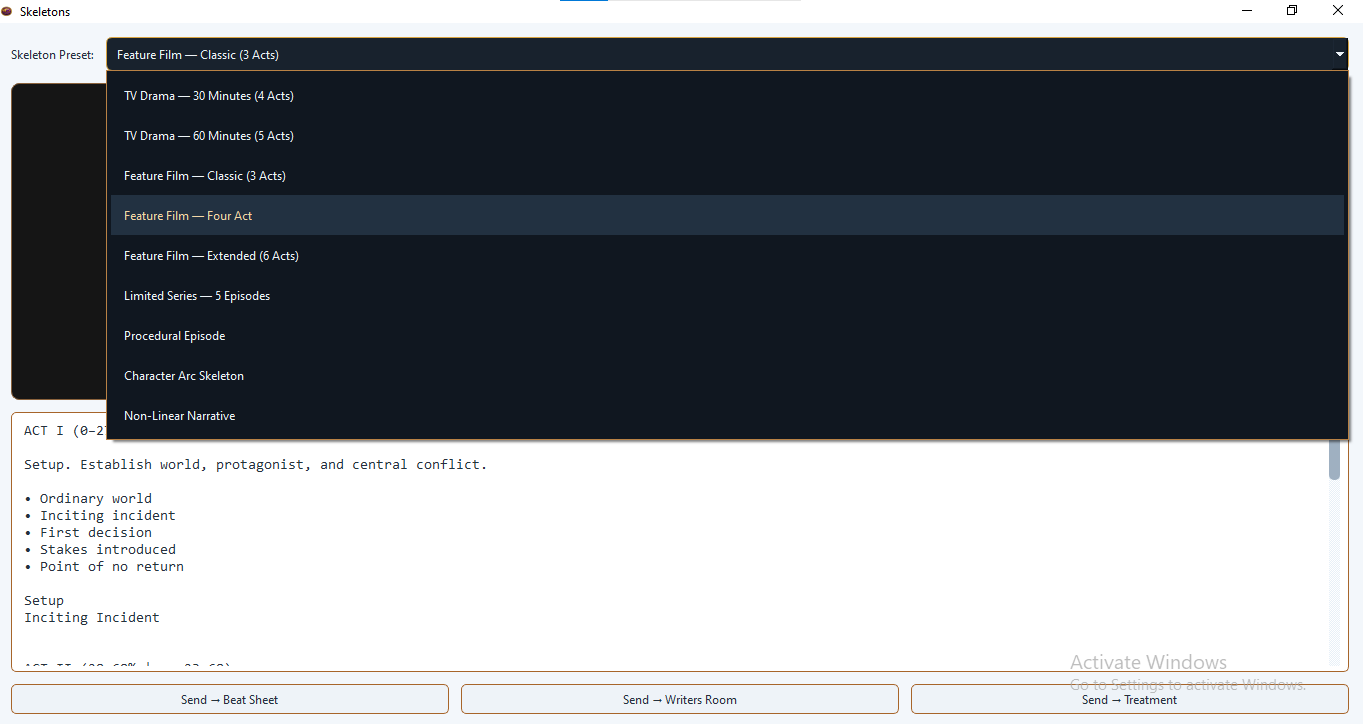
Structure Diagrams
Each preset loads a visual diagram into the image area below the dropdown. These diagrams show the shape of the structure — how the acts stack, where the major turning points fall, and how the proportion of each section relates to the whole.
The diagram area scales to fit the panel width. If the panel is resized, the diagram scales automatically so the image always fills the available space at the correct aspect ratio.
Diagrams are PNG or JPG images stored in the assets/skeleton_diagrams/ folder of your Thenema Writer installation. If a diagram file is missing for a particular preset, the diagram area will display a "Diagram not found" message but the outline will still load correctly.
The Outline Editor
Below the diagram sits the outline editor — a plain-text area showing the enriched skeleton content. You can read it, adapt it, add your own story-specific notes, or delete sections that do not apply to your project.
The outline editor is a standard text field. Use it like a notepad: write in act labels, add scene ideas beneath each structural marker, or paste in research you have gathered. There is no special formatting required.
The enriched outline is a starting point, not a prescription. Replace the generic bullet points with specific ideas from your own story before sending the outline to Beat Sheet or Treatment. The more specific you make the skeleton, the more useful your Beat Sheet and Treatment will be.
How Outlines Are Enriched
When you select a preset, Thenema Writer reads the bare outline text from the preset file and passes it through an enrichment process before displaying it. Enrichment adds the following to each recognised act or stage marker:
- A metadata line showing the percentage range and page range for the section (e.g.
ACT I (0–27% | pp 1–22)) - A one-sentence description of the section's dramatic purpose
- A set of bullet points naming the key structural beats within that section
Lines in the outline that do not match a recognised act or stage marker are passed through unchanged, so any custom text you have added in a previous session is preserved.
For procedural presets the enrichment also renames Act markers to Stage markers (Act I → Stage 1 etc.) to reflect the format's conventions.
Sending to Other Panels
Three buttons at the bottom of the panel send the current outline content forward in your workflow.
Send → Beat Sheet
Each non-blank line of the outline becomes a beat card on the Beat Sheet. Act header lines (ACT I, ACT II etc.) are recognised as act markers and place subsequent beat cards into the correct act lane. This lets you populate the entire Beat Sheet from a skeleton in one click, giving you a pre-structured board to fill in with story details.
Send → Writers Room
The outline text is loaded into the Writers Room script view as a plain-text outline. Each line becomes an item the writing team can see and discuss. The Writers Room preserves the act structure of the outline if it is able to parse the act headers.
Send → Treatment
The outline text is distributed across the Treatment panel's act and episode tabs. Lines are matched to act names (ACT I, ACT II, EPISODE 1 etc.) and placed in the corresponding tab. Unmatched lines fall back to the ACT I tab.
Tips & Best Practices
Choose the skeleton that matches your format, not your preference
If you are writing a one-hour network TV pilot, use the five-act TV Drama skeleton even if you personally think in three acts. Structural conventions exist for a reason — commissioning editors and script editors read in those units.
Use multiple presets for comparison
Load the three-act feature skeleton, read the outline, then switch to Save the Cat or the Hero's Journey and compare the bullet points. You may find that your story naturally fits one structure better than another. The outline editor is read-only only until you type into it — changes are not saved when you switch presets, so switch before you start customising.
The skeleton is not a straitjacket
Delete any section that does not apply to your story. Add sections that the preset did not anticipate. The value of a skeleton is in giving you a starting point and a vocabulary, not in constraining what you can create.